Basics Of Drip Campaign
What is Drip Marketing?
Discover how WhatsApp Drip Campaigns and Customer Engagement Campaigns can help you build seamless and meaningful connections with your customers.
Basics of Drip Campaign
Get started with building a Sequence or WhatsApp Drip Campaign in mark360.
Before you begin, it’s important to understand the key concepts such as Triggers, Conditions, and other core elements. Let’s explore what each of these means in detail.
Trigger
There are three Trigger options available — On Create, On Update, and Both (On Create & On Update) — allowing you to choose when the Sequence should be activated.
-
On Create: Select this option if you want the Sequence to start automatically when a new contact is added.
-
On Update: Choose this option if you want the Sequence to activate whenever an existing contact’s details are updated.
-
Both (On Create & On Update): Pick this option if you want the Sequence to run when a contact is either created or updated.

Conditions
There are two types of conditions: Start Conditions and Stop Conditions.
Start Conditions
These specify the criteria a contact must meet to begin a sequence. You can select from the available contact fields to define these rules.

Stop Conditions
These determine when a contact should exit a sequence. You can define stop conditions based on two possible outcomes: Success or Failure. Again, contact fields can be used to set these criteria.
Success
These are conditions that indicate a campaign has reached its intended goal.
Example: If the aim is to generate sales, a success condition could be that the Lead Stage/Status is set to:
- Demo Booked
- Demo Completed
- In Negotiation
- Deal Won
Failure
These conditions show that the contact did not achieve the desired outcome.
Example: A failure condition could be if the Lead Stage/Status is:
- Not a Target
- Disqualified
- Invalid WhatsApp Number
- Deal Lost

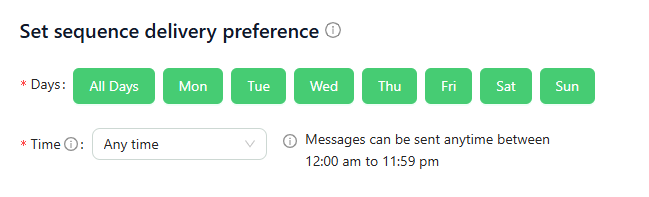
Delivery Preference
In this section, you can define when your messages should be sent within the sequence.
Choose your preferred time range and select the specific days on which messages should be delivered.
Once configured, these settings will automatically apply to every message included in this sequence, ensuring consistent and timely delivery based on your chosen schedule.